




Increasingly, the focus has shifted toward smoother keystrokes, more refined acoustics, and enhanced overall comfort. One of the technologies for making typing softer and more comfortable for long sessions is the flex cut.
In this article, we’ll explore what a flex cut is, how it compares to traditional designs, and whether it’s worth it for your typing experience.
What Does Flex Cut Mean on a Keyboard?
Flex cut on a keyboard refers to the intentional use of small cuts or slots in the keyboard’s internal structure—usually the PCB (printed circuit board) or plate—to increase flexibility during typing.
Where Are Flex Cuts Found?
Flex cut most often refers to PCBs, but it can also be used on the plate. Generally, when we say "Flex Cut keyboard" without explanation, we are almost always referring to PCB slotting.
PCB Flex Cuts
Traditional non-flex-cut PCBs are relatively rigid, so the impact from bottoming out is transferred directly to your fingers. This can lead to fatigue during long typing sessions and may also create a hollow, echo-like sound.
Flex-cut PCBs help absorb that impact, resulting in a softer bottom-out feel. They also reduce hollow resonance, producing a cleaner and more controlled sound profile.
Plate Flex Cut
A flex cut plate—especially one made of PC (polycarbonate)—offers greater flexibility. This makes installing and removing switches easier while reducing the risk of damaging the switch clips.
When a key is pressed, the plate can flex slightly, so bottoming out feels less like a hard impact and more cushioned and controlled.
Some keyboards combine a flex-cut PCB with a flex-cut plate, creating a noticeably softer and more springy typing feel.

Different Flex Cut Patterns
1. Long Flex Cuts (Vertical or Horizontal)
Long slots are applied across the PCB—either vertically or horizontally—to reduce overall stiffness and allow the board to flex as a whole.
Characteristics:
- Moderately reduced rigidity
- Even, balanced feedback without being overly soft
- No “collapse” sensation when typing
Best suited for: Gamers who want a balance between a comfortable feel and solid durability.
2. Zoned Flex Cuts
Focuses on specific regions of the keyboard, such as Spacebar, Enter, and Shift keys, to compensate for their naturally stiffer feel.
Characteristics:
- Improves the balance between large keys and standard keys
- Reduces the “hard” feel often found on bigger keys
Best suited for: Users who prefer a firmer overall feel but want improved performance and consistency on larger keys
3. Per-Key Flex Cut
This is the most advanced and refined flex cut pattern.
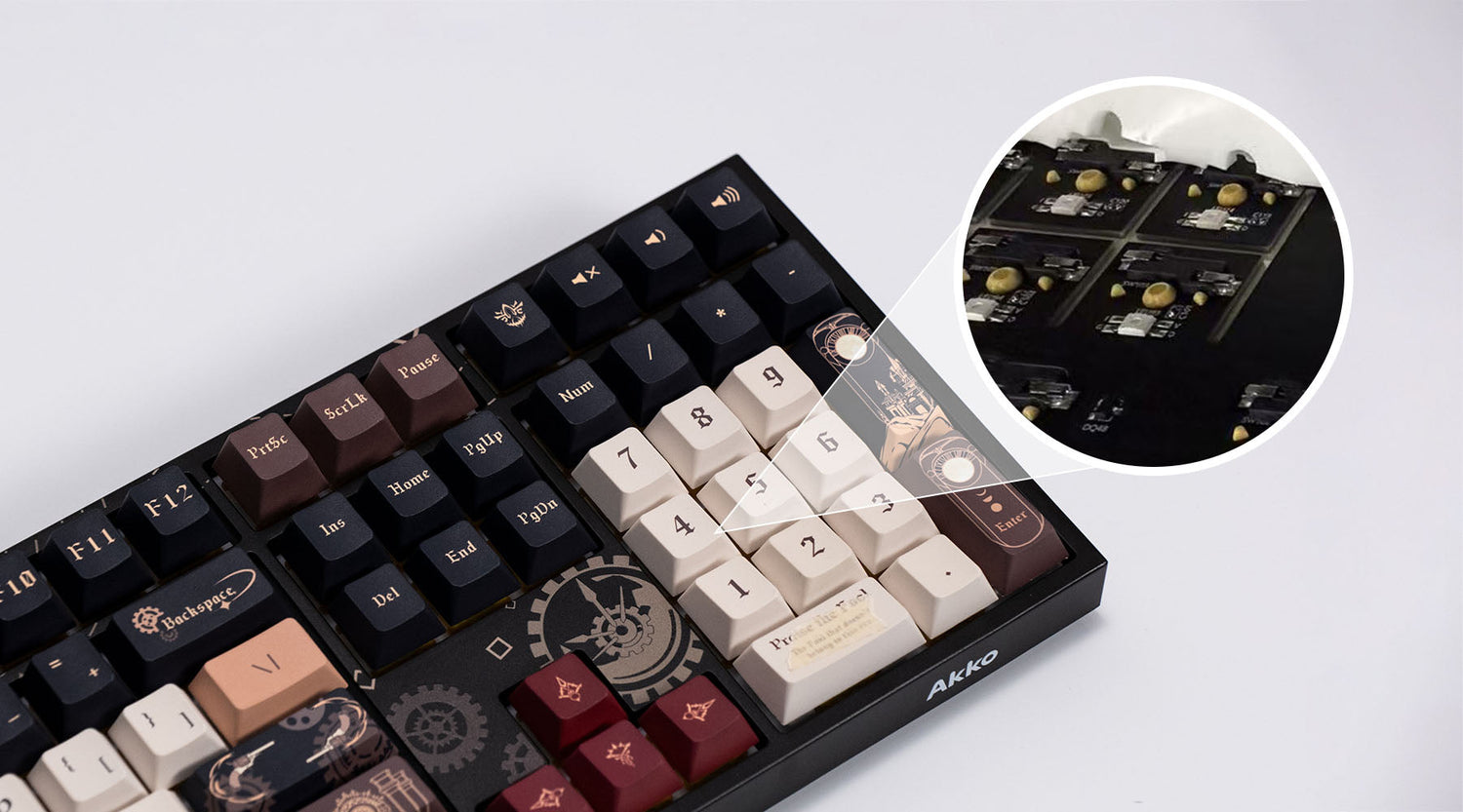
Each switch position is individually cut or perforated, allowing the PCB under each key to flex almost independently.
Characteristics:
- Extremely soft and bouncy feel
- Highly consistent feedback across all keys
- Noticeable “sinking” sensation when typing
- Excellent vibration absorption
- Easily produces thocky sound profiles
Best suited for: Audiophiles, gamers seeking the ultimate typing experience.
4. Hybrid Flex Cut
Combines multiple slotting patterns for a more tailored feel. For example, single slots in the main typing area, with longer slots in function key zones, denser slotting in the center for softer feedback, and lighter slotting around the edges for added stability.
Characteristics:
- Different hand feel zones
- Highly customization
Best suited for: Experienced customization enthusiasts, users who seek individuality.
| Type | Flexibility | Sound Performance | Structural Strength | Cost | Suitable For |
|---|---|---|---|---|---|
| Long Flex Cuts | Moderate | Good | Moderate | Low | Most gamers |
| Zoned Flex Cuts | Localized | Improved on large keys | Higher | Low | Balanced users |
| Per-Key Flex Cuts | Very High | Excellent | Lower | High | Enthusiasts |
| Hybrid Flex Cuts | Adjustable | Adjustable | Moderate | High | Advanced users |
Benefits of a Flex Cut Keyboard
1. Provide a Softer and More Cushioned Typing Feel
Instead of hitting a hard, rigid surface when pressing a key, the internal structure absorbs part of the force through subtle flex. It will provide a softer bottom-out feel.
This is especially beneficial for users who:
- Type for long hours
- Prefer a less harsh, more comfortable feel
- Want a more “premium” typing experience
2. Provide More Consistent Key Response
Flex cut designs—especially more refined implementations—help distribute force more evenly across the keyboard.
In traditional keyboards, certain areas (like edges or large keys) often feel stiffer due to structural limitations. Flex cuts reduce this inconsistency by allowing more localized movement.
Keyboards with more advanced implementations, such as per-key flex cut PCB designs, can achieve a noticeably more balanced and uniform typing feel across all keys.
3. Provide a Cleaner Sound Profile
Flex cuts can also improve the acoustic performance of a keyboard.
By reducing overall rigidity and limiting how vibrations travel through the structure, flex cut designs help:
- Minimize unwanted resonance
- Reduce harsh or metallic overtones
- Create a more controlled, “cleaner” sound
4. Provide Better Typing Comfort for Long Sessions
Because the structure absorbs part of the impact from each keystroke, flex cut keyboards put less strain on your fingers over time.
Compared to rigid keyboards, this can make a noticeable difference during:
- Long typing sessions
- Work-heavy environments
- Continuous gaming or content creation
Flex Cut vs Non-Flex Cut Keyboard
Flex cut keyboards focus on softness and typing comfort, while non-flex cut keyboards prioritize rigidity and consistency.
| Feature | Flex Cut Keyboard | Non-Flex Cut Keyboard |
|---|---|---|
| Structure | PCB or plate includes strategic cutouts for flexibility | Solid, fully rigid PCB and plate |
| Typing Feel | Softer, more cushioned, slight flex on keypress | Firm, direct, and rigid feedback |
| Bottom-out Feel | Reduced impact, more forgiving | Harder and more immediate |
| Sound Profile | More dampened, controlled, often deeper | Sharper, more consistent, sometimes louder |
| Key Consistency | Can vary depending on flex design (better in per-key designs) | Highly uniform across all keys |
| Comfort for Long Use | Higher comfort due to reduced impact | More fatiguing over long sessions for some users |
| Stability | Slightly more dynamic, design-dependent | Very stable and rigid |
| Common Use Case | Custom keyboards, enthusiast builds, premium typing experience | Traditional mechanical keyboards, office/gaming stability focus |
Choose Flex Cut Keyboard if you want:
- Softer typing feel
- More comfort for long sessions
- A more “premium custom keyboard” experience
Choose Non-Flex Cut Keyboard if you prefer:
- Firm, stable feedback
- Traditional mechanical keyboard feel
- Maximum rigidity and consistency
Is a Flex Cut Keyboard Worth It?
If you're someone who appreciates the typing feel and sound, then it's worth it. If you prioritize durability, stability, and fast response, then it's not worth it.
Worth It
If you want:
- A softer bottom-out feel with less impact on each keystroke
- A more comfortable typing experience for long sessions
- A more refined acoustic profile (often deeper and less harsh)
- A keyboard that feels more “custom” or enthusiast-grade
If you are choosing a flex cut keyboard that can deliver comfort, sound refinement, and typing experience, the 5108 V5 is a great choice. It uses a per-key flex cut PCB combined with a gasket mount structure.
This combination helps:
- Maintain a consistent feel across a full-size layout
- Provide controlled flexibility without overdoing it
- Deliver a softer typing experience while staying stable

May NOT Be Worth It
Flex cut keyboards might not be ideal if you prefer:
- A very firm and stable typing feel
- Maximum structural rigidity with zero movement
- A traditional mechanical keyboard experience
- Consistent, no-flex feedback across all keys
Some users also feel that overly flexible designs can reduce perceived sharpness or make the board feel less solid, depending on execution.
FAQ
Is Flex Cut the Same as Gasket Mount?
No, flex cut and gasket mount are not the same thing. They refer to two different parts of a keyboard’s design, but they are often used together to achieve a softer, more refined typing experience.
- Flex Cut: Internal structure design (how the PCB or plate is cut to create flexibility)
- Gasket Mount: Mounting method (how the keyboard assembly is suspended inside the case)
Do flex cut keyboards feel better?
For many users, yes. Flex cut keyboards typically feel:
- Softer on bottom-out
- More comfortable for long typing sessions
- Less harsh compared to rigid keyboards
However, whether they feel “better” depends on personal preference—some users still prefer a firm and solid typing experience.
Does flex cut affect keyboard sound?
Yes. Flex cut designs can help create a more controlled and less harsh sound profile by reducing rigidity and limiting vibration transfer.
This often results in:
- Less metallic resonance
- A deeper and cleaner sound
Are flex cut keyboards good for gaming?
They can be, but Flex Cut is not specifically designed for gaming performance.
- If you prefer softer, more comfortable keystrokes, flex cut can be beneficial.
- If you prefer firm, fast, and rigid feedback, a non-flex design may feel more precise.



Commenta
Nota che i commenti devono essere approvati prima di essere pubblicati.
Questo sito è protetto da hCaptcha e applica le Norme sulla privacy e i Termini di servizio di hCaptcha.