





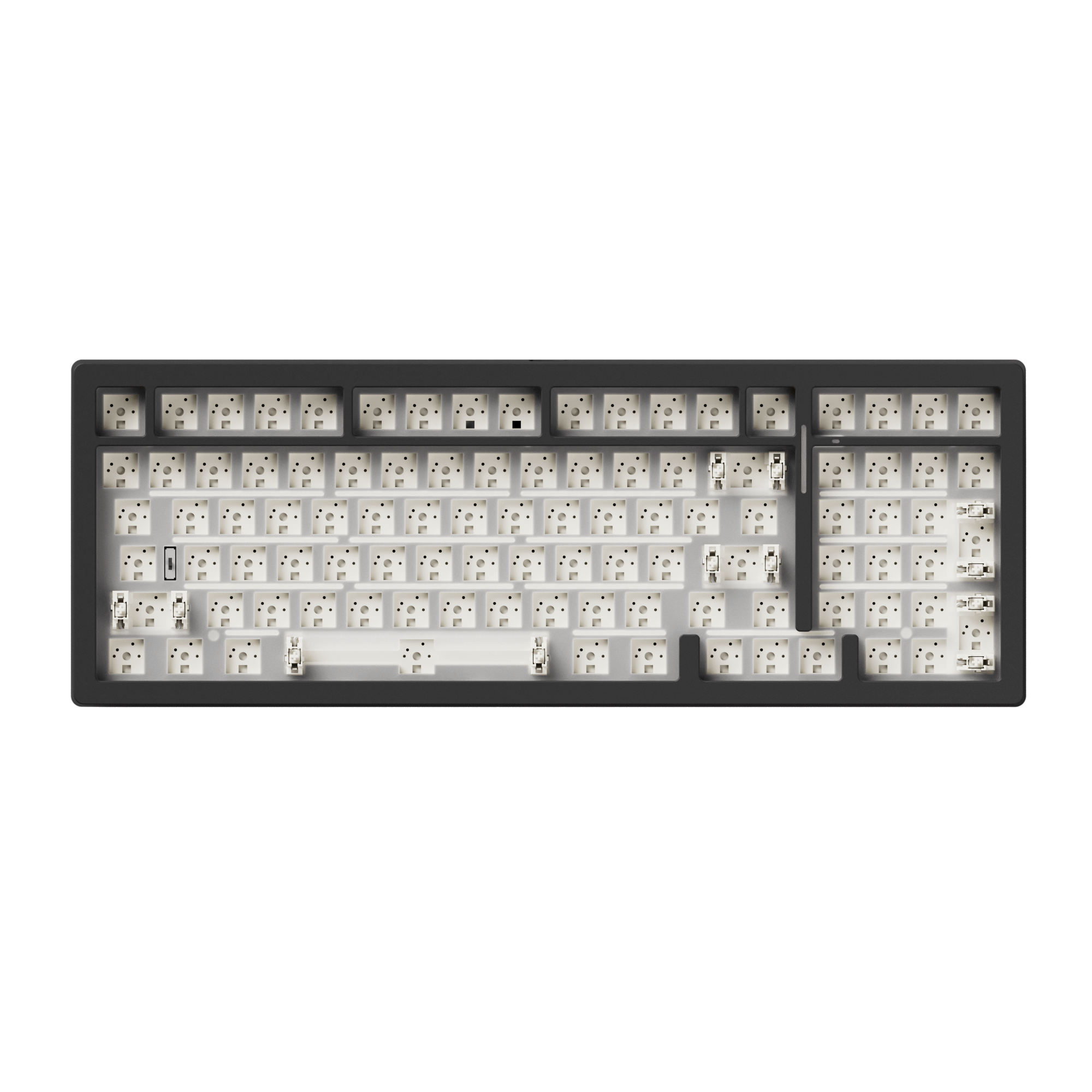
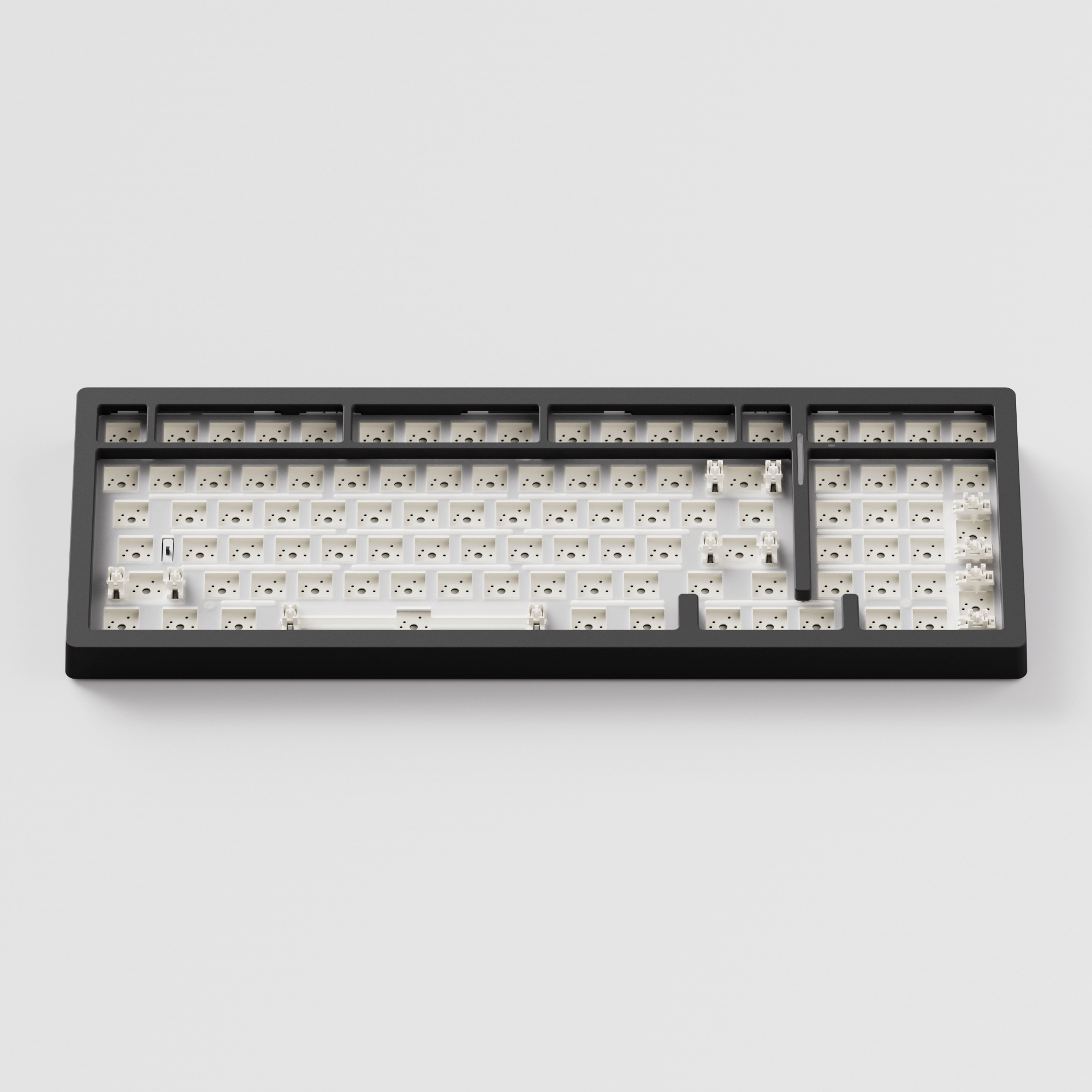
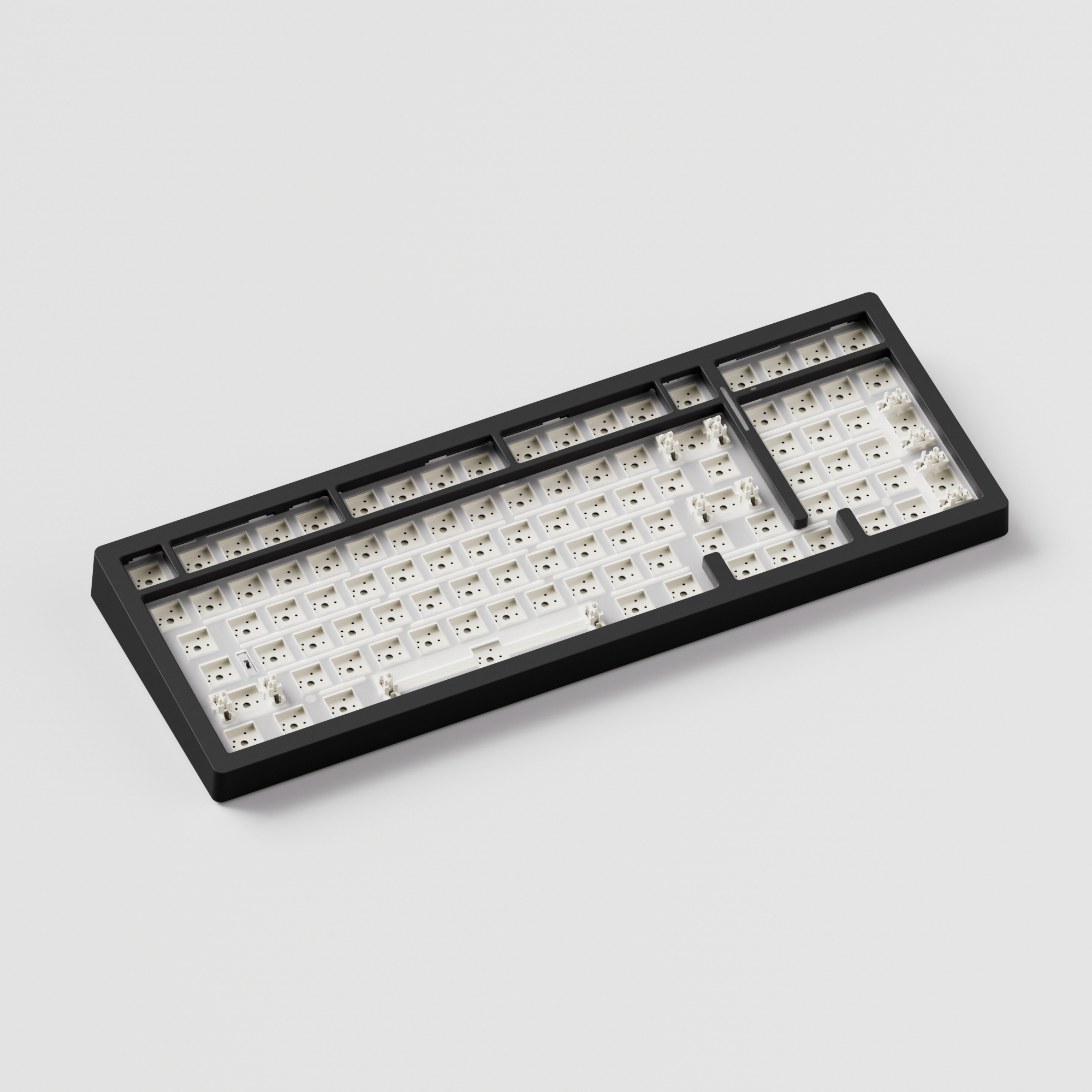
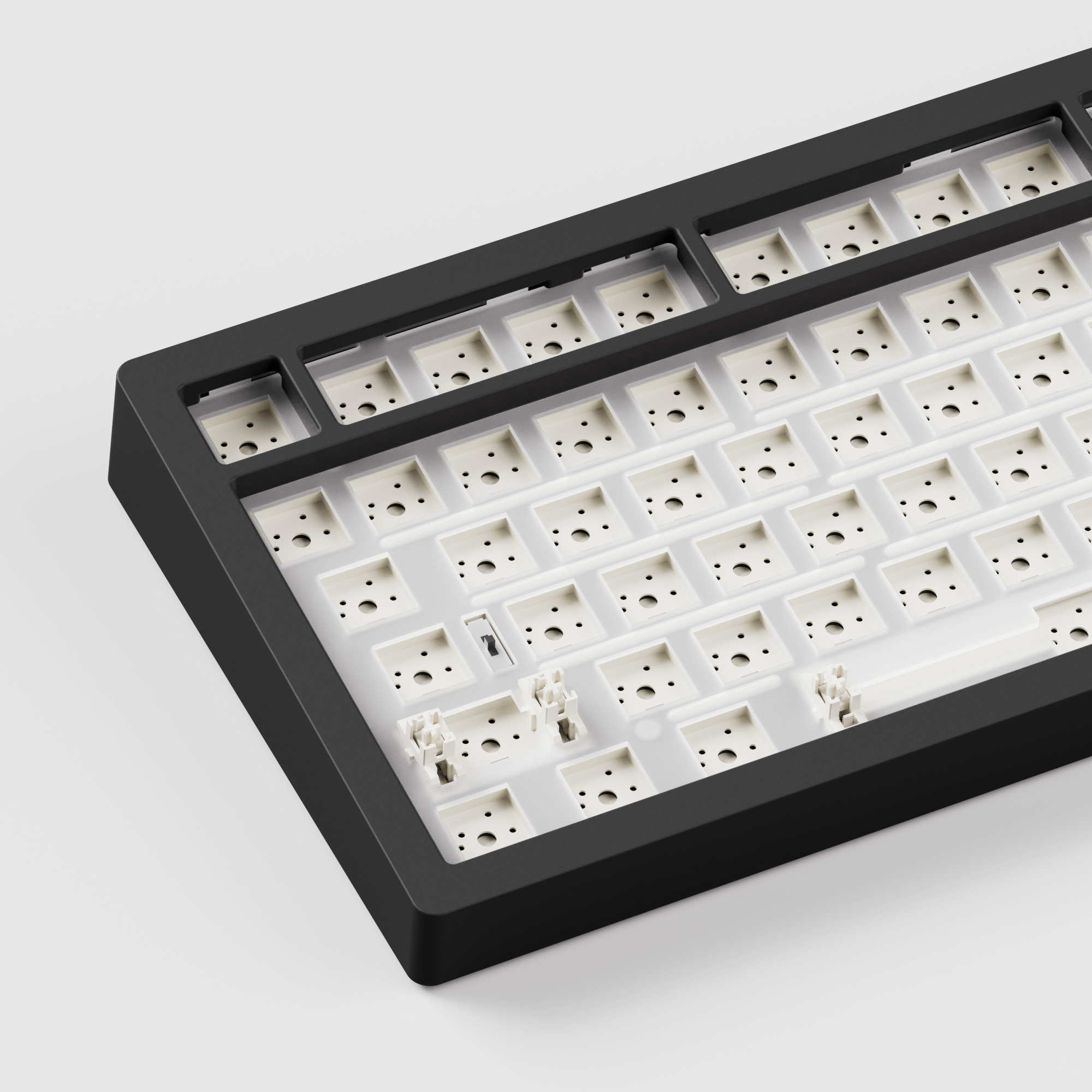
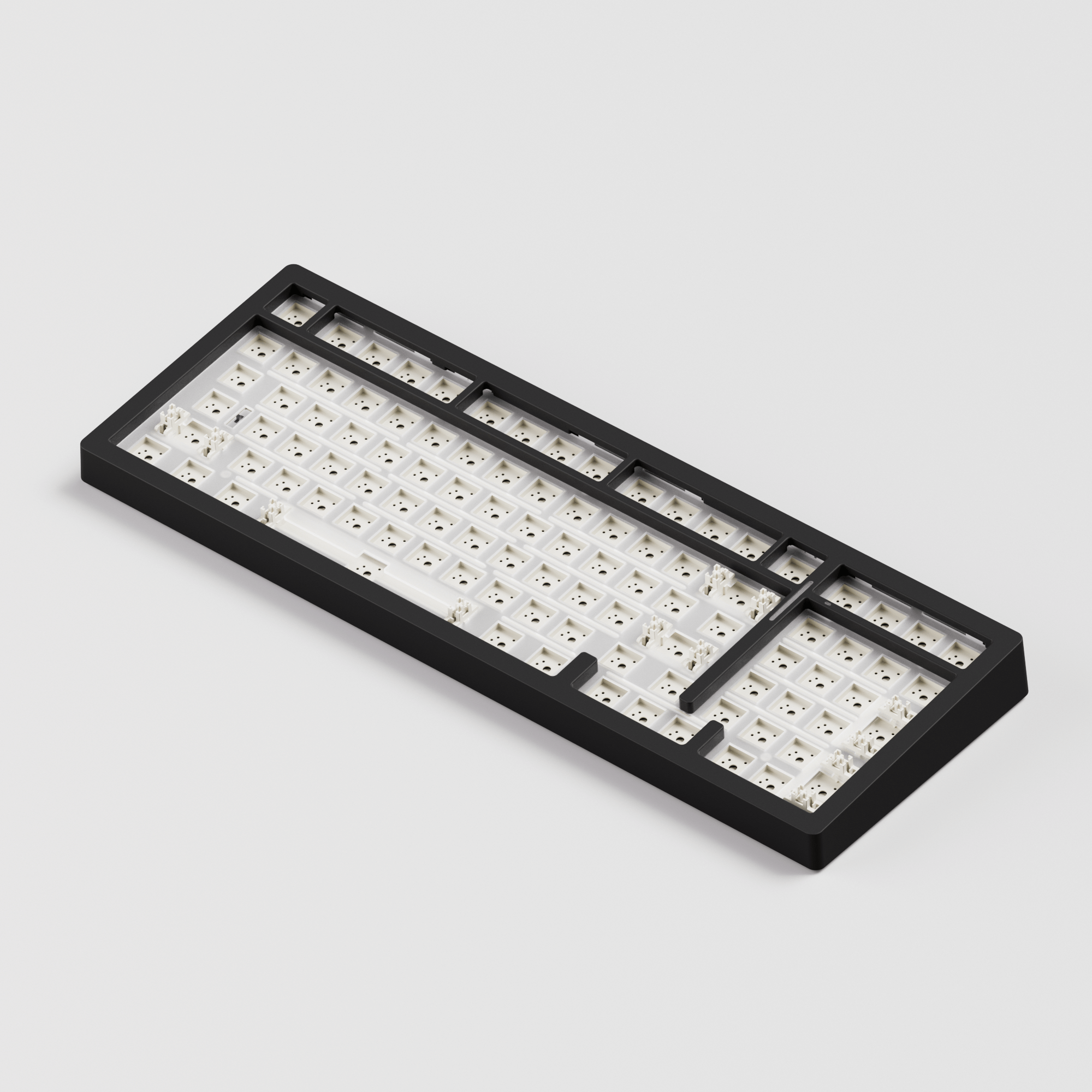
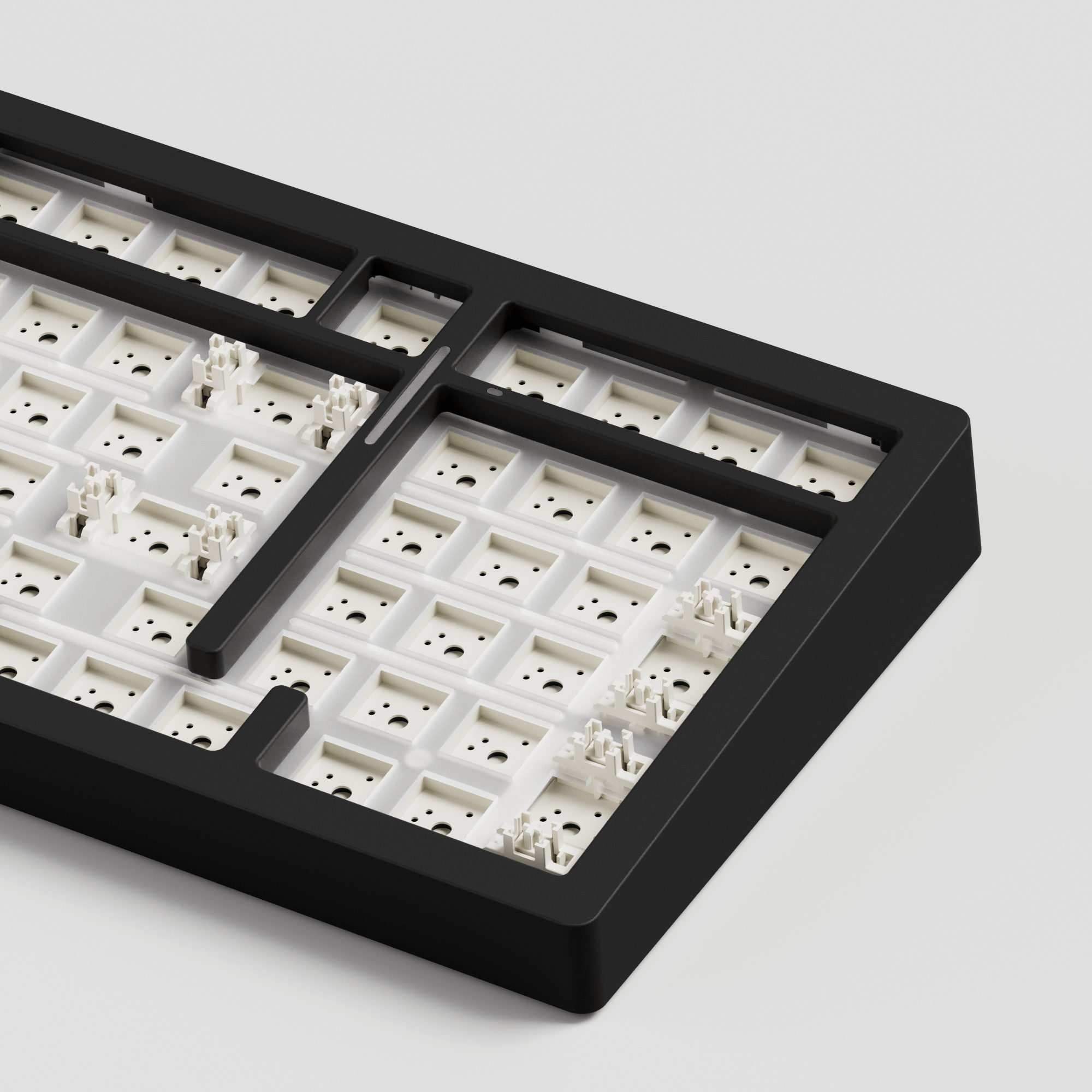
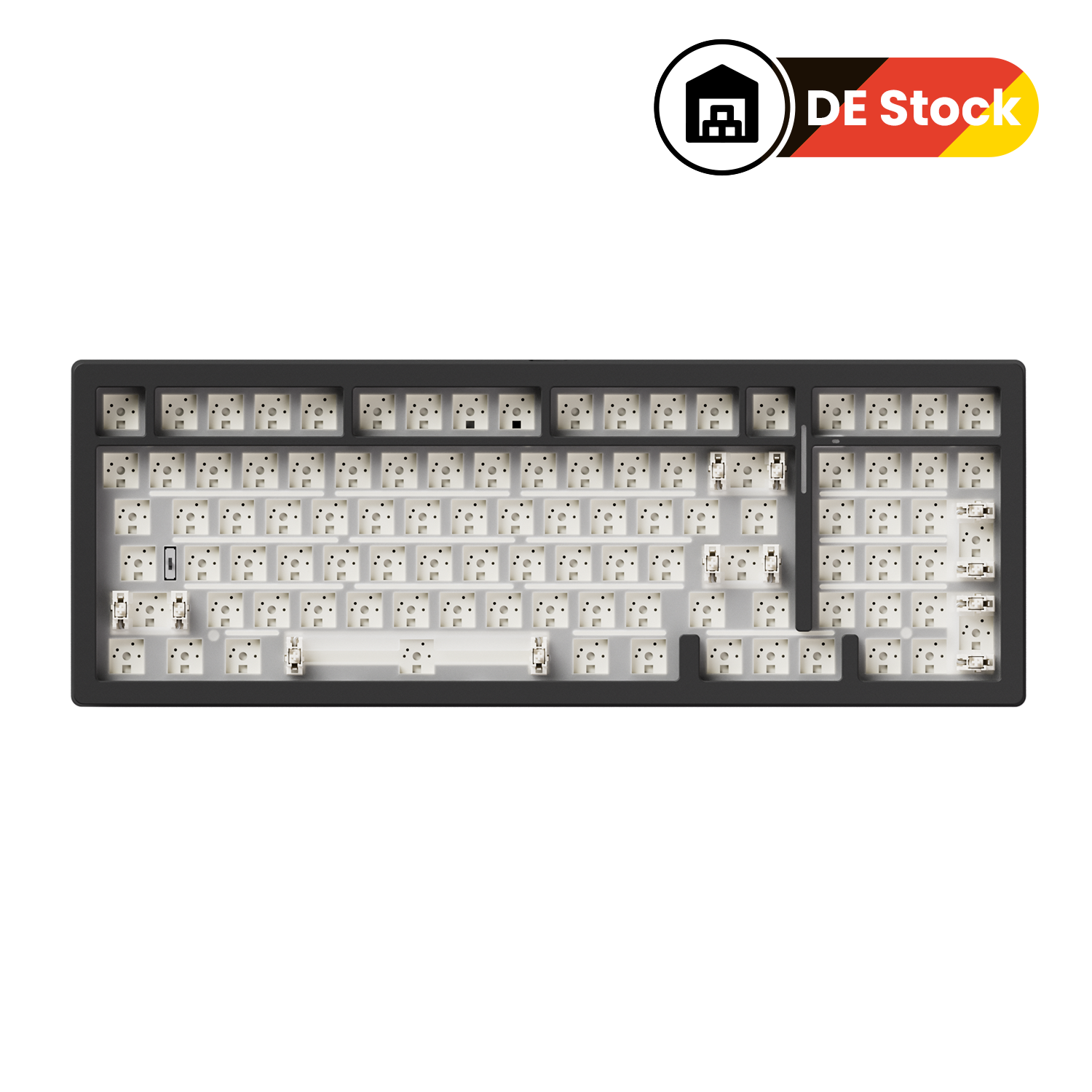
Kit de bricolage MonsGeek M2 V5 VIA
Taxes inclues Frais d'envoi calculés au paiement
Nous nous efforçons de vous fournir des services du plus haut niveau !
Pour l'entrepôt par défaut (CN) :
Tous les produits non marqués d'une option d'entrepôt sont expédiés depuis l'entrepôt par défaut (CN).
L'entrepôt par défaut (CN) prend actuellement en charge l'expédition vers les pays et régions suivants : Arménie, Australie, Autriche, Belgique, Bulgarie, Canada, Colombie, Croatie, Chypre, Tchéquie, Danemark, Estonie, Finlande, France, Allemagne, Grèce, Guatemala, Islande, Indonésie, Irlande, Italie, Jamaïque, Japon, Jersey, Koweït, Laos, Lettonie, Lituanie, Luxembourg, Mexique, Mongolie, Népal, Pays-Bas, Nouvelle-Zélande, Norvège, Pakistan, Philippines, Pologne, Portugal (18 régions sur 20), Portugal (Açores, Madère), Qatar, Roumanie, Russie, Serbie, Singapour, Slovaquie, Slovénie, Corée du Sud, Espagne (47 provinces sur 52), Espagne (Ceuta), Sri Lanka, Suède, Suisse, Taïwan, Thaïlande, Turkménistan, Royaume-Uni, États-Unis (55 États sur 62), États-Unis (Porto Rico), Ouzbékistan, Vietnam.
La plupart des produits d'Akkogear.eu sont expédiés depuis la Chine. Les commandes passées sur Akkogear.eu peuvent être expédiées vers la plupart des pays de l'UE (à l'exception des îles périphériques et des territoires d'outre-mer).
Les commandes sont généralement traitées sous 10 à 20 jours ouvrés dans la plupart des pays. Les commandes ne sont ni expédiées ni livrées le week-end ou les jours fériés.
En cas de volume de commandes important, les expéditions peuvent être retardées de quelques jours. Veuillez prévoir quelques jours de transit pour la livraison. En cas de retard important, vous serez informé par e-mail.
Pour l'entrepôt d'outre-mer :
Les produits seront expédiés de préférence depuis des entrepôts situés à l'étranger. Veuillez noter que nous ne garantissons pas l'expédition de toutes les commandes depuis nos entrepôts situés à l'étranger (en cas de rupture de stock dans nos entrepôts, nous expédierons depuis d'autres entrepôts, ce qui rallongera les délais de livraison). Veuillez consulter les informations suivantes :
Entrepôt en Allemagne (DE)
L'entrepôt Allemagne (DE) prend actuellement en charge l'expédition vers les pays et régions suivants : Autriche, Belgique, Bulgarie, Croatie, Tchéquie, Danemark, Estonie, France, Allemagne, Grèce, Hongrie, Italie, Lettonie, Lituanie, Luxembourg, Pays-Bas, Pologne, Portugal (18 des 20 régions), Roumanie, Slovaquie, Slovénie, Espagne (47 des 52 provinces), Suède.
- La livraison rapide DHL en 2 à 3 jours s'applique uniquement aux clients allemands.
-
6-7 jours Expédition pour les autres pays d'Europe (Autriche, Belgique, Tchéquie, France, Allemagne, Italie, Luxembourg, Pays-Bas, Pologne, Lituanie, Roumanie, Slovaquie, Croatie, Estonie, Portugal (18 des 20 régions), Danemark, Bulgarie, Espagne (47 des 52 provinces), Grèce, Hongrie, Lettonie, Suède, Slovénie.)
Remarque : DE Local Stock ne prend pas en charge la livraison au Royaume-Uni, en Irlande, à Malte, à Chypre, en Suisse et dans d'autres pays non répertoriés.
L'entrepôt du Royaume-Uni (RU)
L'entrepôt du Royaume-Uni (UK) prend actuellement en charge l'expédition vers les pays et régions suivants : le Royaume-Uni .
La livraison rapide en 2 à 3 jours s'applique uniquement aux clients britanniques.
Cliquez ici pour voir plus de détails.
Notre équipe d'assistance est disponible pour vous aider dans les 24 heures.

Barebone mécanique compact en aluminium à démontage rapide de 1800 mm
Kit personnalisé MonsGeek M2 V5 VIA
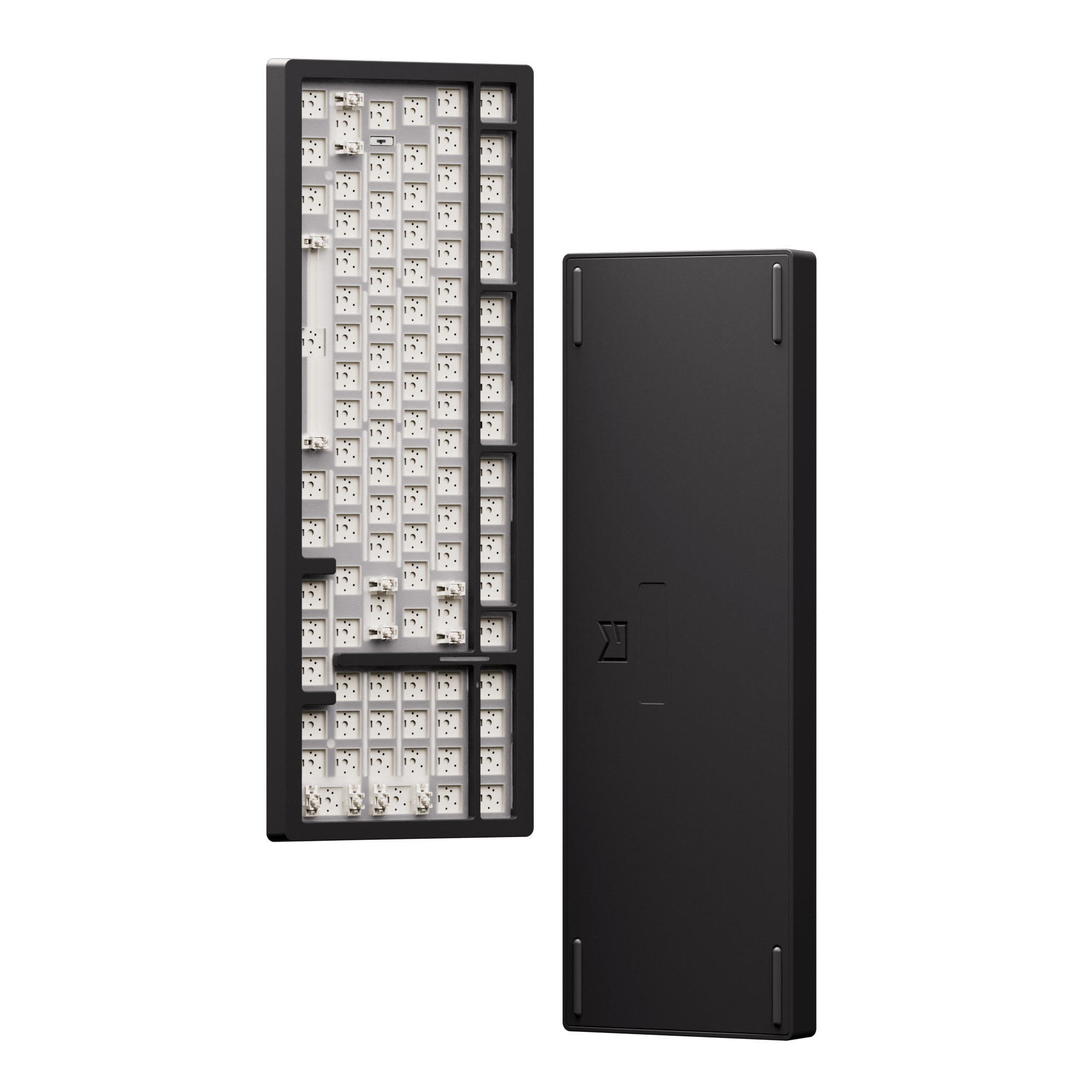
Le kit de clavier mécanique personnalisé MonsGeek M2 V5 VIA est doté d'une conception à loquet à bille, permettant un démontage rapide et un entretien pratique.
Permet aux débutants de construire facilement le clavier de manière indépendante.




Conception de attrape-balle
Démontage rapide sans vis ni outils
Contrairement aux claviers mécaniques à visser classiques, la série M2 V5 dispose d'un loquet à bille pour sécuriser le boîtier et d'une force de charge réglable qui peut être modifiée en serrant les vis lors de l'installation pour une sécurité et une stabilité accrues.

Before

After
Remappage infini et personnalisation du rétroéclairage
Batterie intégrée de 8000 mAh
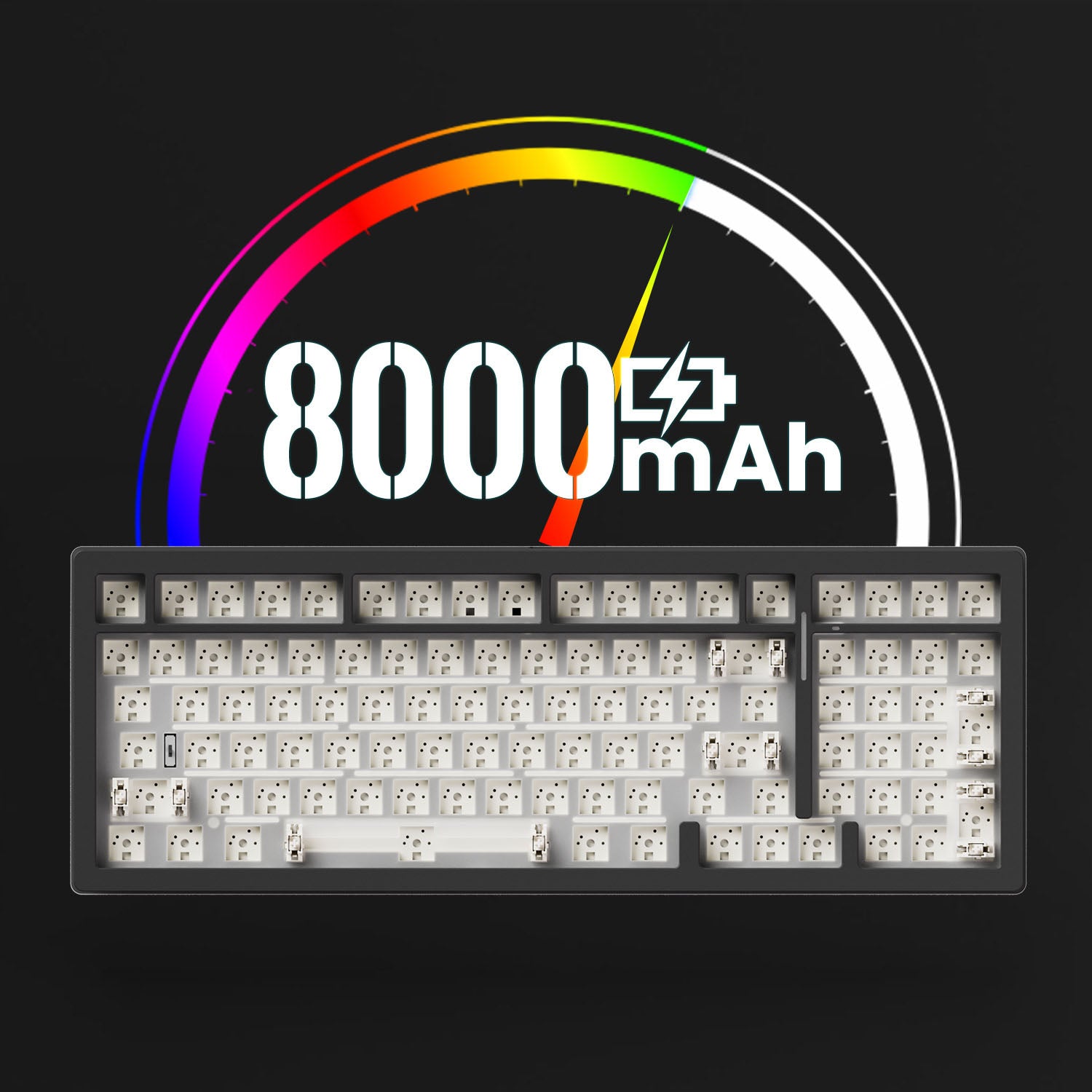
Avec une batterie haute capacité d'environ 8 000 mAh, les utilisateurs peuvent profiter de périodes prolongées de saisie, de jeu ou de productivité ininterrompues sans avoir besoin d'une recharge constante.
Rétroéclairé RVB
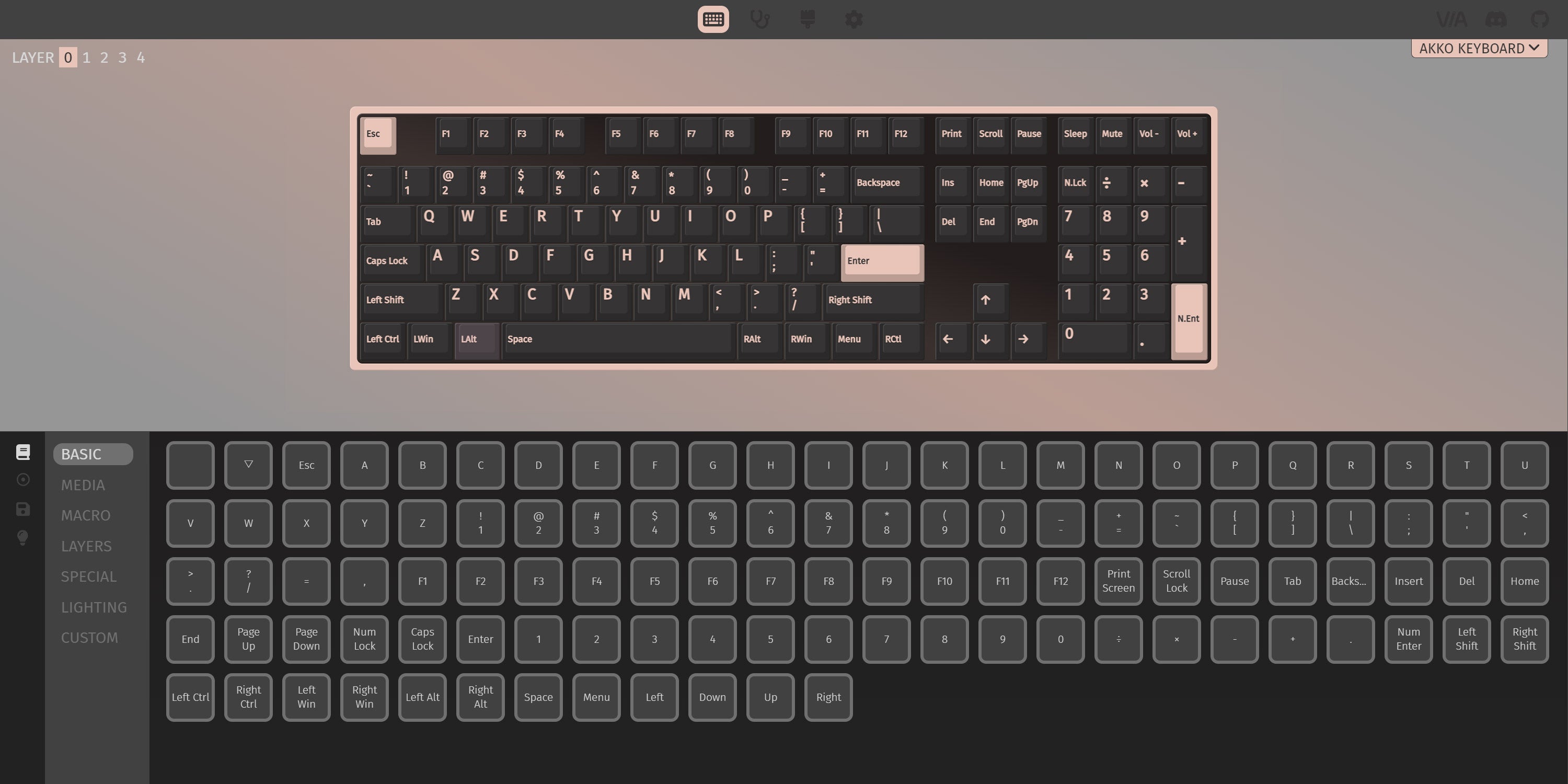
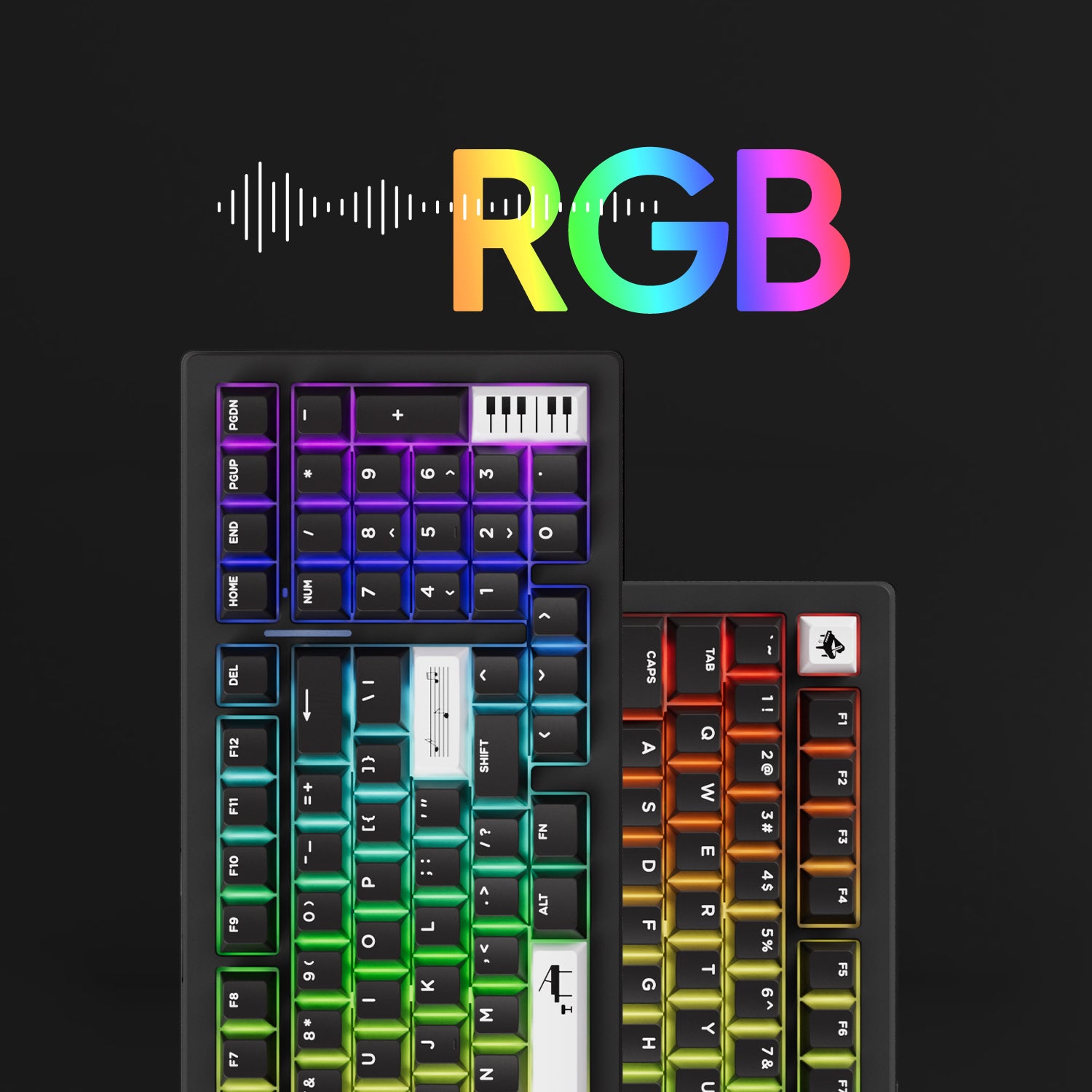
La série M2 V5 propose environ 16 effets de rétroéclairage prédéfinis et une personnalisation via le logiciel VIA, avec contrôle de la luminosité et de la vitesse.
Remarque : les touches et les interrupteurs ne sont pas inclus dans ce kit. Ils sont présentés sur les images du produit à titre d'illustration.
Montage du joint
Le clavier à joint MonsGeek est un type de clavier mécanique qui utilise un matériau d'étanchéité, comme du silicone ou du néoprène, pour créer un support « flottant » pour les commutateurs. Le joint est placé entre la plaque et le circuit imprimé, ce qui offre une expérience de frappe plus souple et plus confortable.
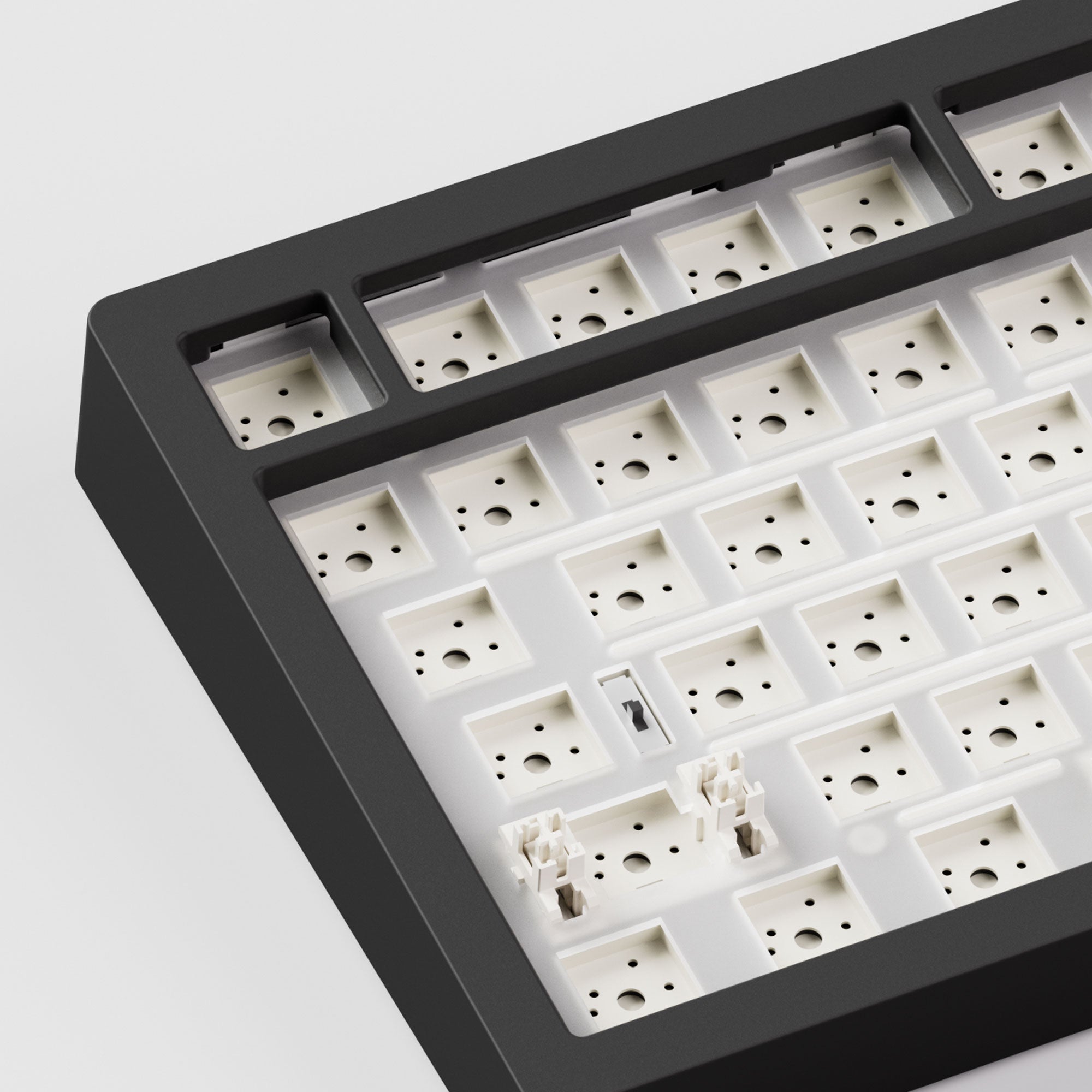
5 broches échangeables à chaud
Le circuit imprimé orienté vers le sud de la série M2 V5 évite toute interférence avec les touches Cherry lors de la personnalisation, offrant ainsi plus de compatibilité et de flexibilité. Prise en charge du remplacement à chaud des interrupteurs 5 broches. Doté de sockets 5 broches remplaçables à chaud de haute qualité pour un changement facile des interrupteurs.
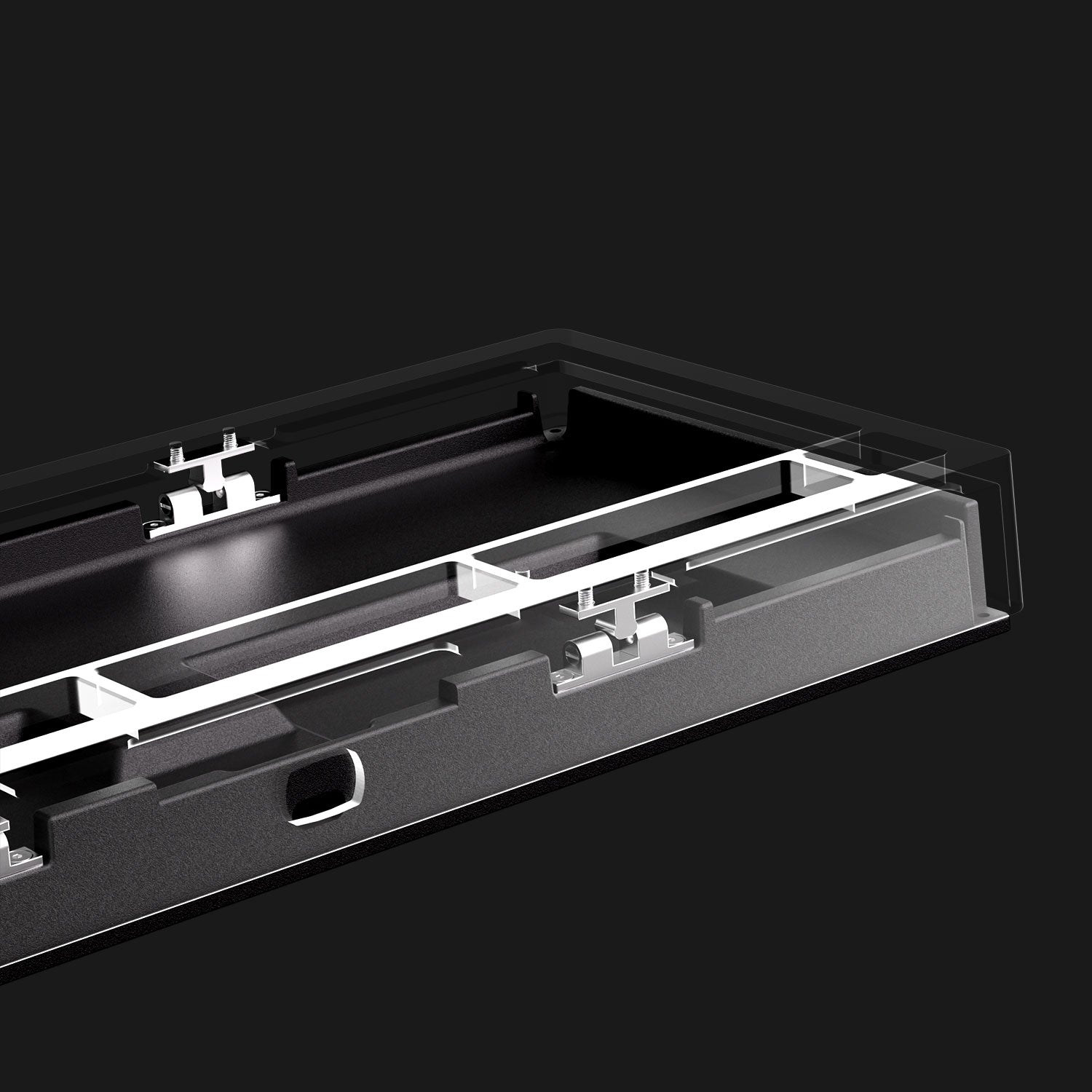
Dégagement rapide
Bénéficiez d'une personnalisation en toute simplicité : conçu pour les débutants comme pour les utilisateurs expérimentés, avec un assemblage rapide, sans outil et sans vis entre le boîtier supérieur et inférieur en aluminium.

M2 V5 Multi-Mode
Permet de basculer facilement entre les modes filaire, Bluetooth et sans fil 2,4 GHz pour une expérience fluide sur tous les appareils. Compatible avec Windows et Mac, ce clavier polyvalent offre des performances et un confort exceptionnels. Optimisez votre productivité grâce à ce clavier adaptable.
Sans fil 2,4 GHz
Équipé d'un récepteur qui permet aux utilisateurs d'utiliser le mode sans fil 2,4 GHz, offrant une faible latence adaptée aux jeux et à la saisie.
BT 5.0
Connectez facilement jusqu'à 3 appareils avec une simple combinaison Fn+E/R/T, permettant une commutation transparente entre tablettes, ordinateurs et téléphones.
Mode filaire USB-C
Assurer des temps de réponse cohérents et rapides pour les jeux FPS et un décalage d'entrée minimal.
Simplicité
En supprimant l'accent latéral, le soutien constant des fans de MonsGeek nous permet d'équilibrer davantage les coûts et de nous concentrer sur la fourniture d'un clavier de niveau passionné à un prix raisonnable.
Entièrement assemblé
Le M2 V5 VIA est livré avec des commutateurs et des touches, prêt à l'emploi, sans bricolage.
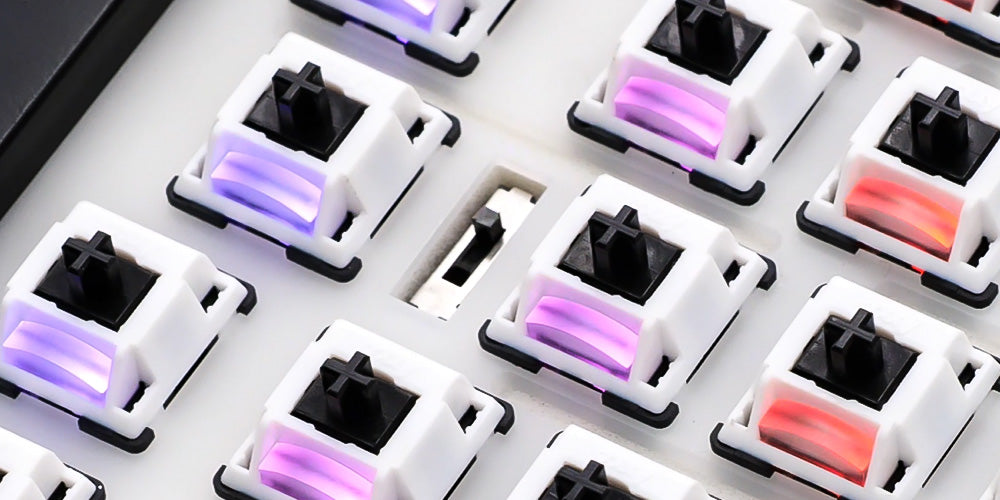
Commutateur de système
En haut : Mode sans fil Mac (alimentation intégrée activée)
Milieu : Mode filaire Windows par défaut (alimentation intégrée désactivée)
En bas : Mode sans fil Windows (alimentation intégrée activée)
Remarque : le commutateur est situé près de la touche CAPS
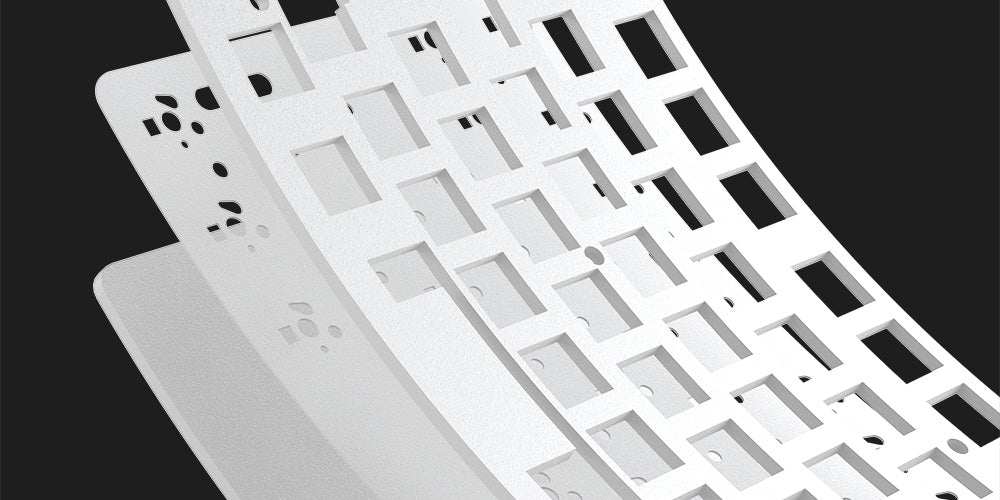
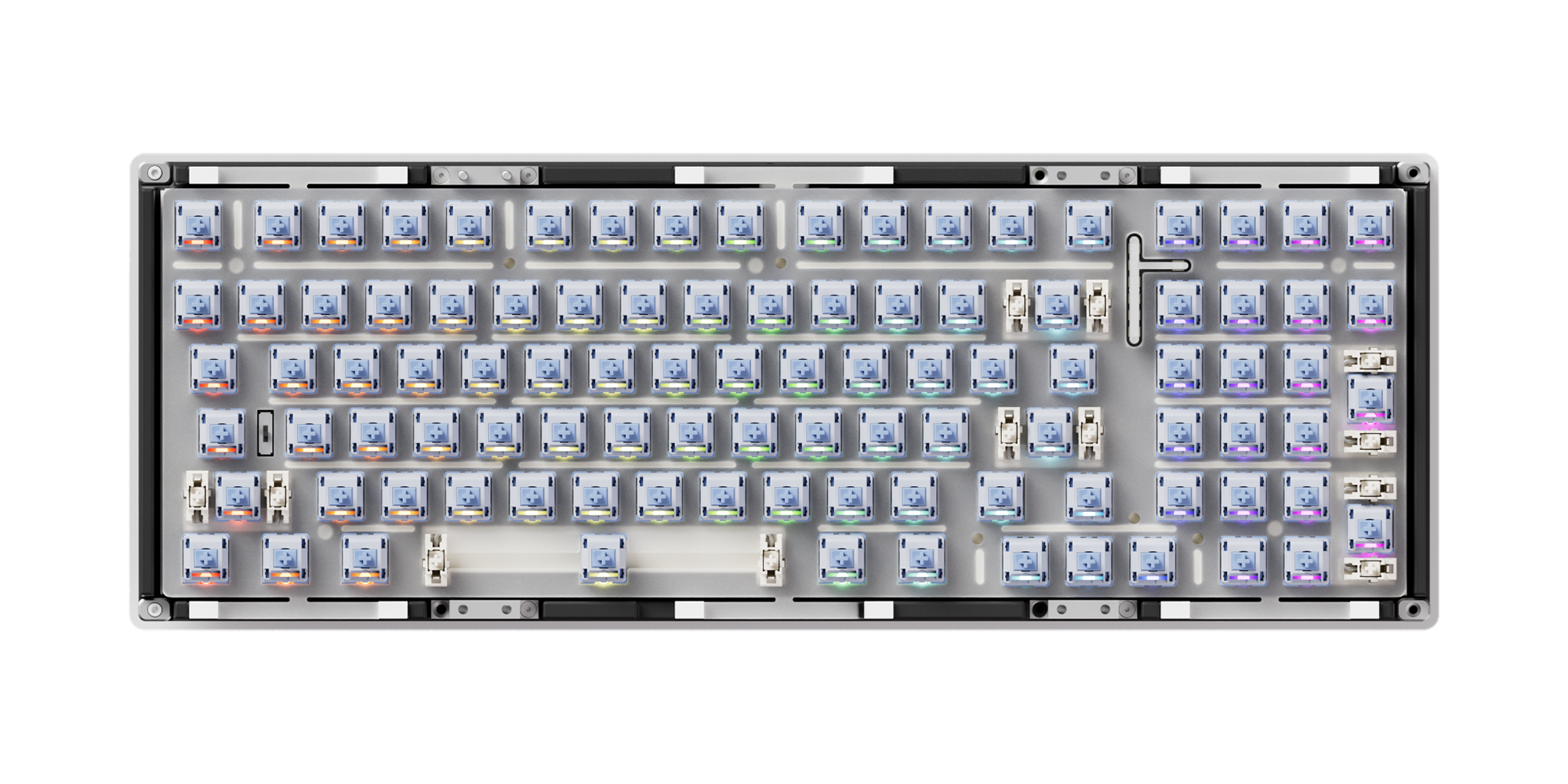
PORON Plate Foam
Kit de bricolage MonsGeek M2 V5 VIA est équipé de mousse en plaque PORON, réduisant efficacement le bruit généré par les interrupteurs à clé, garantissant une expérience sonore tactile plus pure et plus confortable pour le clavier.
Polycarbonate Plate
Kit de bricolage MonsGeek M2 V5 VIA utilise une plaque PC transparente pour offrir une flexibilité surpassant celle du métal, tout en réduisant la résonance basse fréquence.
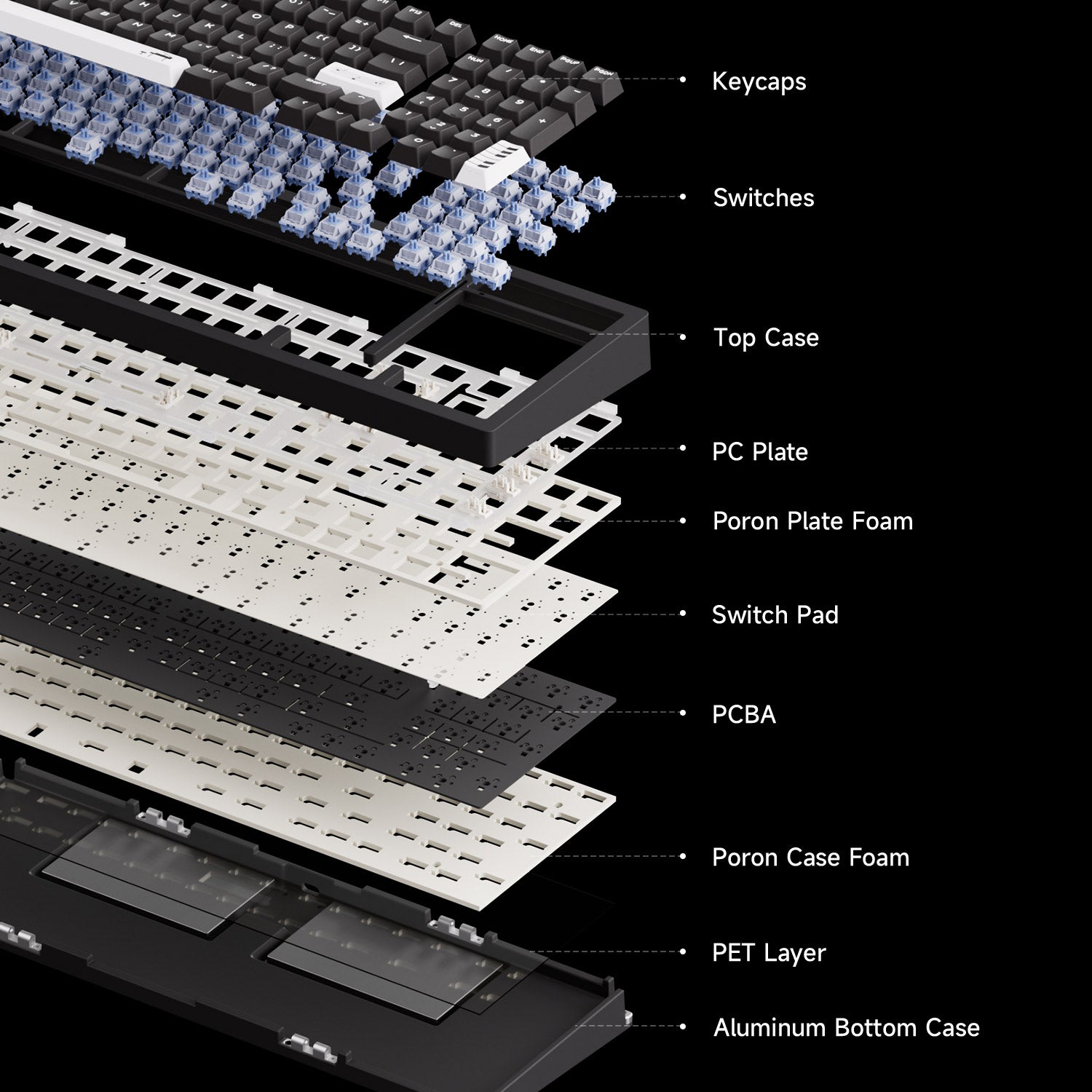
Plus de flexibilité et un meilleur son
La série MonsGeek M2 V5 est livrée avec une mise à niveau complète du système de réduction du bruit, offrant une plus grande flexibilité pour expérimenter une variété de profils sonores.
Remarque : les touches et les interrupteurs ne sont pas inclus dans ce kit. Ils sont présentés sur les images à titre indicatif uniquement.
MonsGeek M Series QC DisclaimerComparer
CARACTÉRISTIQUES TECHNIQUES
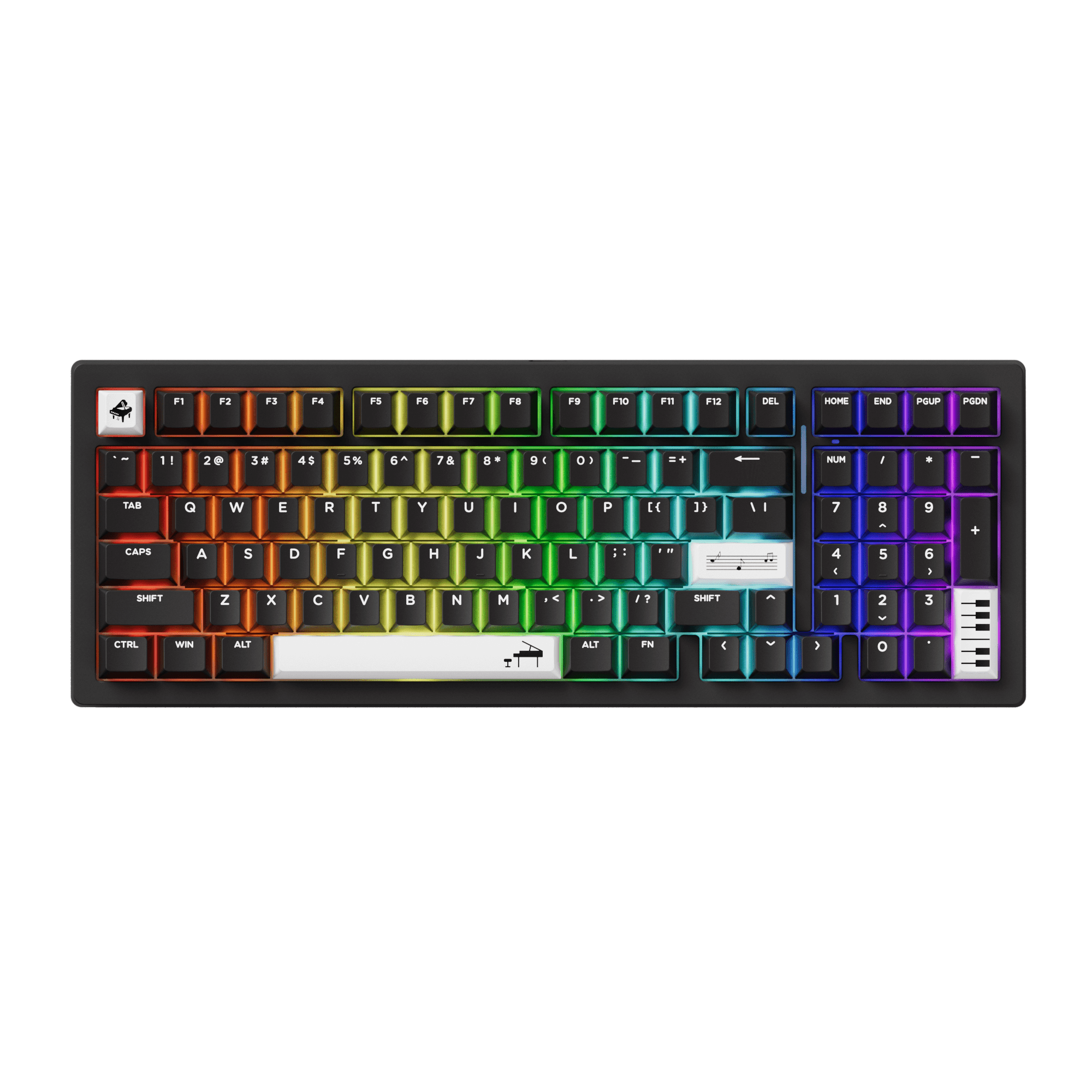
Entièrement assemblé
Barebone
Soutien
Soutien
Norme ANSI américaine
Norme ANSI américaine
Gasket Mount
Gasket Mount
Bluetooth5.0 / 2,4 GHz / USB Type-C
Bluetooth5.0 / 2,4 GHz / USB Type-C
South-facing RGB
South-facing RGB
3-Pin / 5-Pin Support
3-Pin / 5-Pin Support
Soutien
Soutien
8000mAh
8000mAh
1000Hz en mode filaire et 2.4G, 125Hz en mode Bluetooth.
1000Hz en mode filaire et 2.4G, 125Hz en mode Bluetooth.
VIA
VIA
Stabilisateurs TPU à double injection pré-assemblés et montés sur plaque
Stabilisateurs TPU à double injection pré-assemblés et montés sur plaque
Akko Coriandre/Akko Miroir/Akko Stellar Rose
N/A
PBT Keycaps + Aluminum Case
Boîtier en aluminium
Double-shot
N/A
Noir - Thème pour piano (WOB)
Noir
Windows/macOS/iOS/Android
Windows/macOS/iOS/Android
Clavier × 1, Manuel × 1, Câble × 1, Extracteur de touches × 1, Extracteur d'interrupteurs × 1, Récepteur × 1, Joint en silicone
Clavier × 1, Manuel × 1, Câble × 1, Récepteur × 1, Joint en silicone
This is my first custom build mechanical keyboard. As I need the keyboard mostly for work, I chose the M2 V5 for the complete 98% Layout as the numpad is essential for me. If it would have still been available, I would have chosen the 100% M5W, but sadly MonsGeek and Akko don't sell this model anymore. The 98% is nice due to the more compact shape, but finding the "0" on the numpad is harder, as its reduced in size and not as strongly seperated from the arrow keys compared to the 100% layout. This is a minor downside for me, as for CAS-Modelling this proves to be a bit annoying. I have been using the Keyboard for two weeks at the point of this review, so there still is a chance to get used to it at one point.
Regarding the design and build quality I am mostly really happy. The keyboard is very minimalistic and doesn't try to scream "look at me". Every detail is well executed and there were no faults or aesthetic problems. The keyboard is very heavy and doesn't slide around by accident, so while its recommendable for a stationary keyboard, I would choose a lighter option if I would have to carry it around. The overall feeling is amazing and the keyboard is built in a way that feels like repairs will be easy. This feels like a keyboard that can last a lifetime. For this reason the USB connection might become a big advantage in the future as well.
The only thing I would have wished for would have been the natural aluminium silver color. While the black color is applied perfectly, silver would have been easier to combine with a bigger variety of keycaps, from a design point of view speaking. The black makes the keyboard look even heavier and less cozy. While I am not a fan of RGB Effects I was surprised by the amount of customization that can be made by the VIA Software. Single key colors can't be changed and you have to choose from a predefined variety of effects though. I turned the effects in my keyboard off and chose a white color for lighting. Sadly choosing between warm white and cold white is nearly impossible due to the limitation of the RGBs. A version with pure white LEDs would have been amazing. Dimming is possible though and I was glad, as the LEDs can be really bright. Except for a tiny horozontal lightbar on top of the numpad all of the indicators like battery status, bluetooth, cable or wireless connection, as well as the capslock activation are displayed through a change of color or brightness of the specific LEDs below the keycaps. The vertical led lightstrip around the arrow keys doesn't seem to indicate anything, except maybe that the keyboard is active. Sadly customization of the vertical and horizontal lightstrips is impossible via VIA Software and you can only choose a few presets locally with the use of pressing a FN key combination. The lack of customization of the lightstrips, as well as the missing color option for silver are my reasons to reduce my rating by one star.
I use the keyboard with the Akko Penguin Silent Switches and the Teleport BOW Keycaps. The Keyboard is far quieter than any of my previous keyboards in this combination and working at night or working with other people in the same room is not a problem. The type-feeling is really good. Overall prize for everything was around 300€. If you want a clicky version instead of a silent build and you can settle with the black keycaps of the piano version then you can become really happy for half the price. Reviewing everything I am still really happy with the keyboard and I would definitely recommend it!
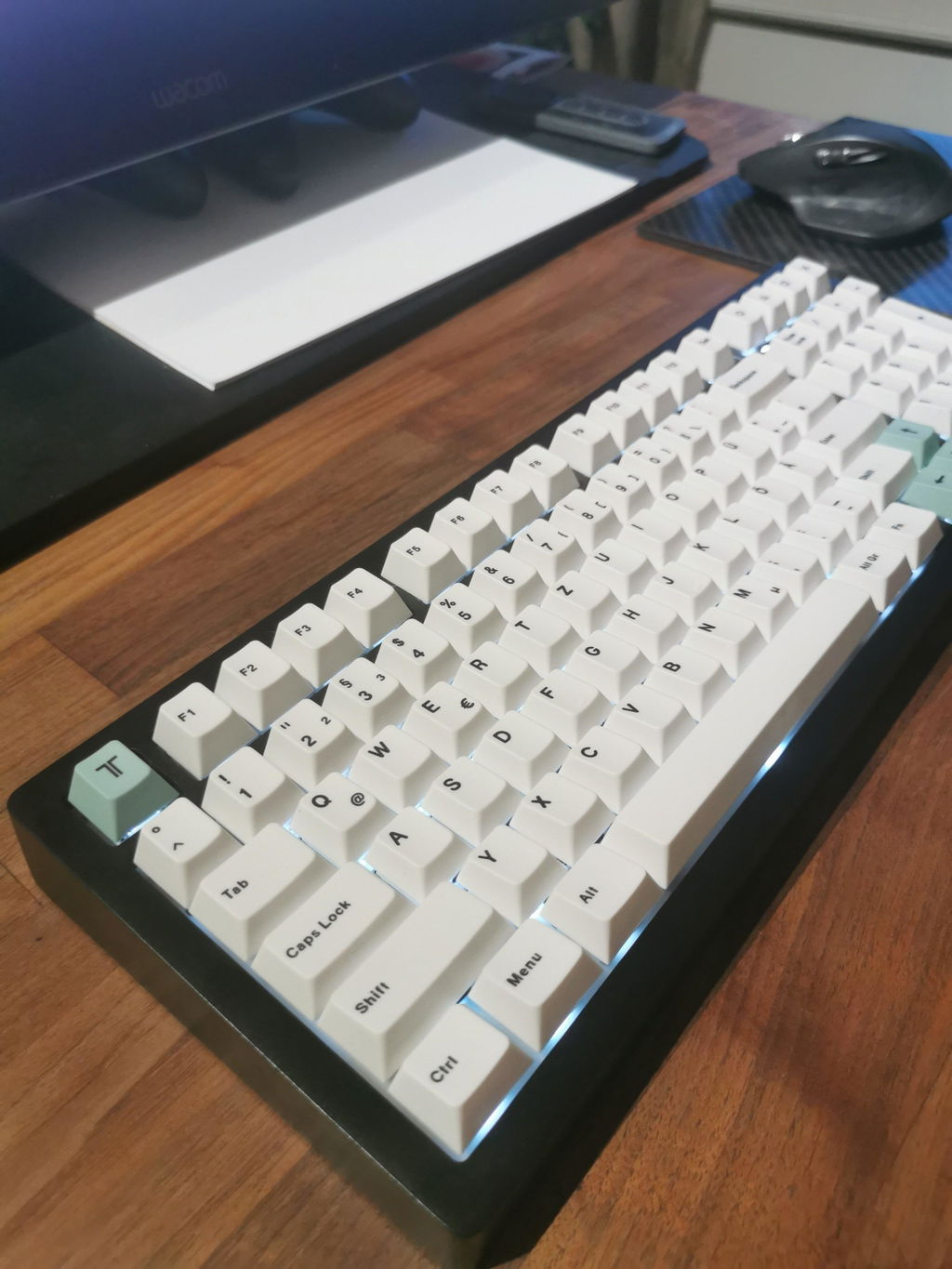
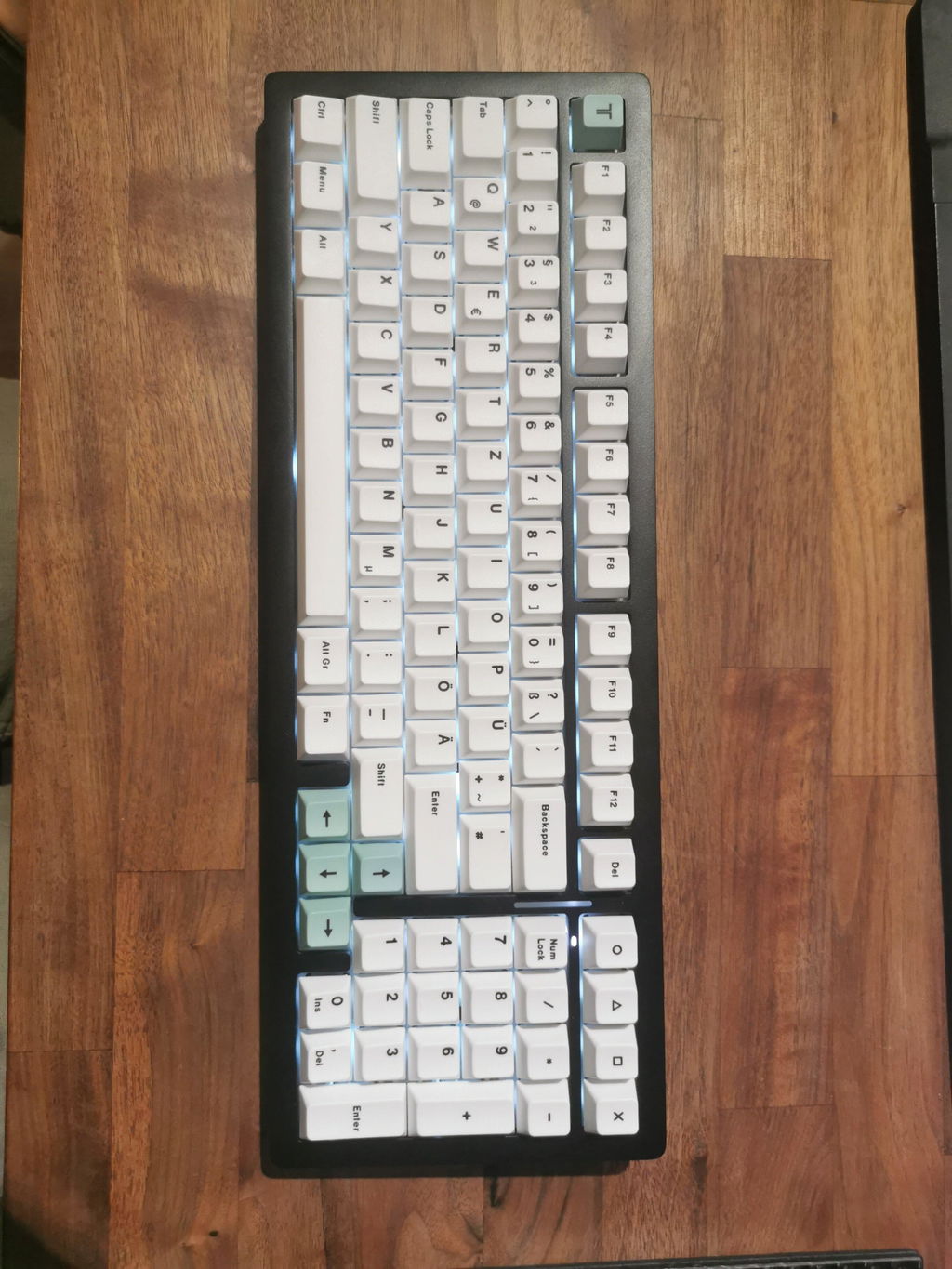
The Product was what i expected and wanted. Very happy! Everything was in order and worked well.
Good product - exactly what I expected. Take me some time to figure out the VIA configuration but it is not overly complex.

